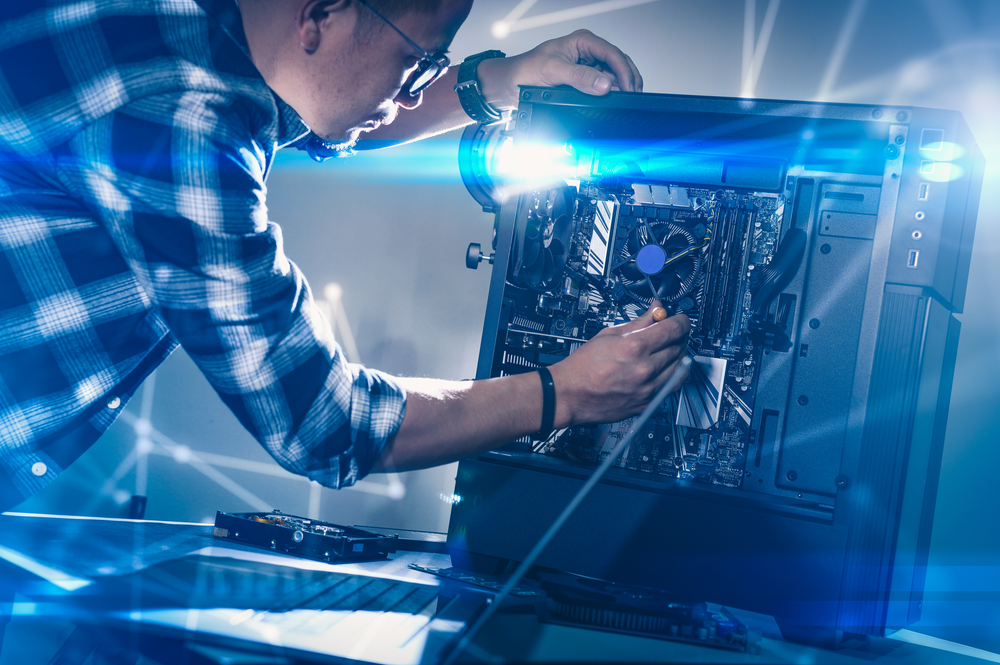
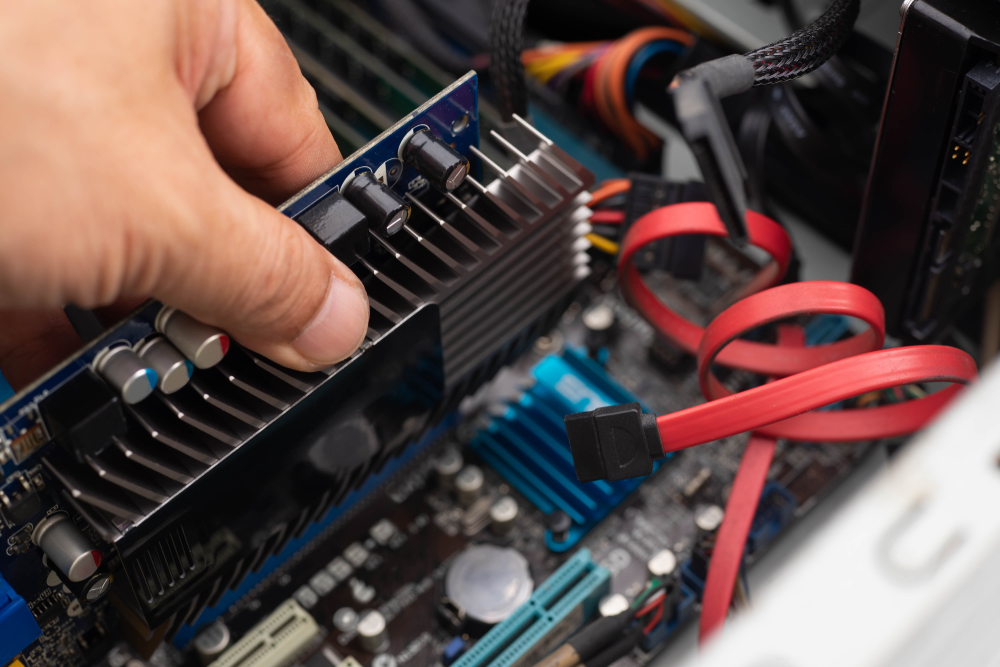
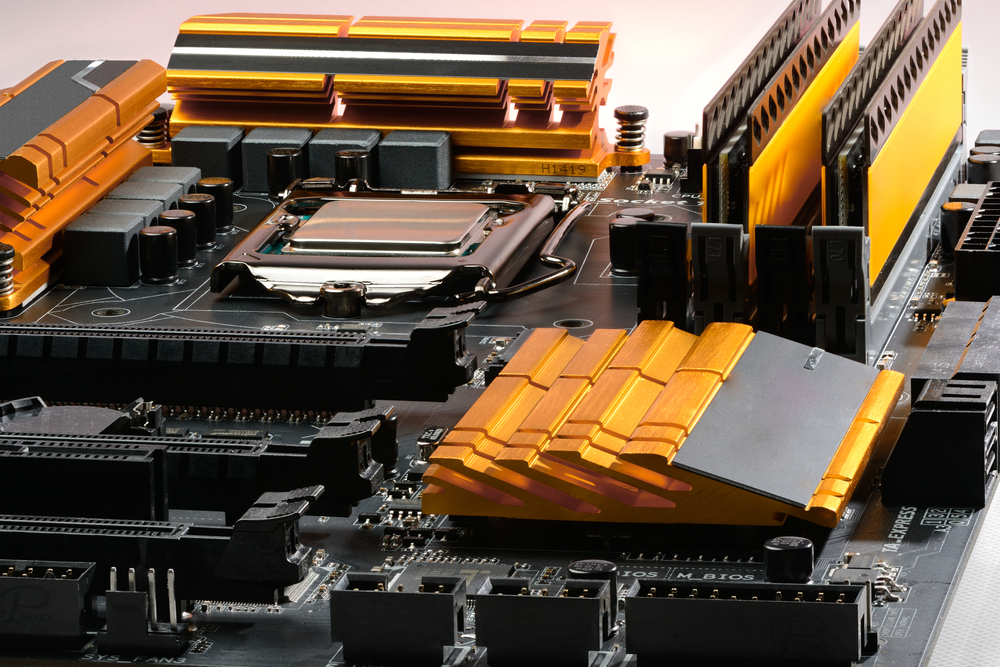
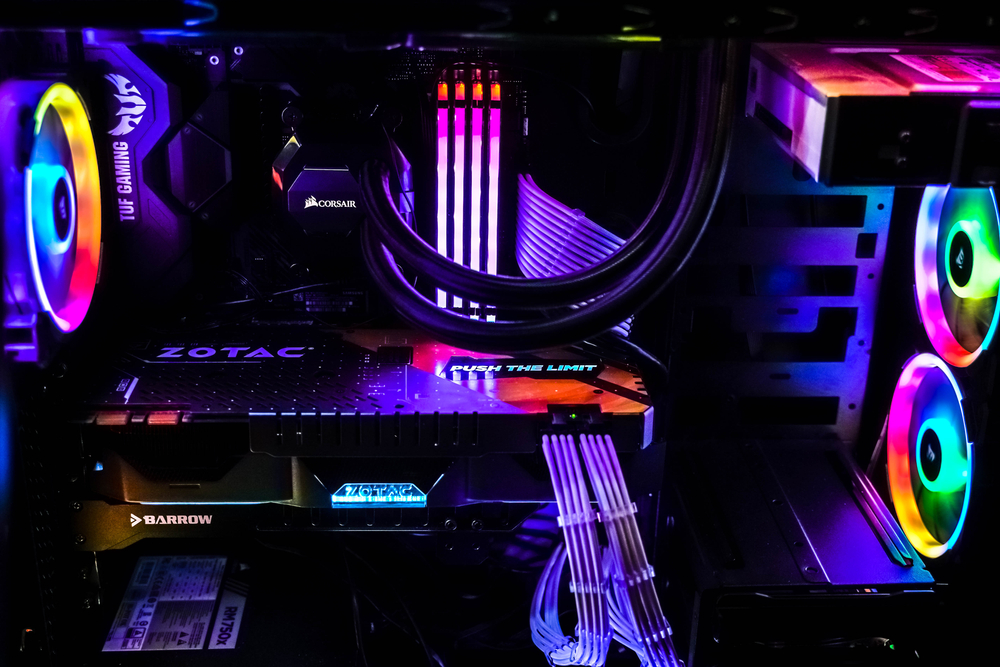
If you have been shopping for a gaming PC lately, you have probably felt the pressure of choice. Do you spend hours researching parts, watching build guides, and wrestling with cable management? Or do you simply pull out your wallet, order a pre-built system, and be gaming by the weekend?
The debate between building your own PC and buying a pre-built one has been going on for decades, but in 2026, the landscape has shifted enough that the old answers do not always apply. Let us break it all down honestly.
The Old Argument: Why Building Always Won
For most of the 2010s, the answer was almost universally the same: build it yourself and save money. The logic was simple. Retailers and manufacturers who sold pre-built systems charged a significant premium for the convenience factor. You could often get noticeably better hardware for the same price by sourcing your own components.
Beyond the cost savings, builders also had full control over every part in their system. You could choose a quieter cooler, a better power supply, or a faster SSD without being forced into whatever a manufacturer decided to bundle together. Pre-built systems were also notorious for cutting corners in areas that were easy to overlook, such as stuffing a powerful GPU into a case with a cheap 450-watt power supply or pairing a high-end processor with slow, low-capacity RAM.
The DIY crowd also pointed to repairability and upgradability. When something breaks in a self-built system, you know exactly what to replace. Pre-built warranties sometimes required you to send the entire machine in for service, leaving you without a computer for weeks.
These arguments were largely valid, and for a long time, building your own PC was the smarter move for almost everyone who was willing to put in the time.
How 2026 Changed the Equation
The gaming PC market in 2026 looks meaningfully different from what it did five years ago. Several converging forces have tightened the gap between pre-built and DIY systems.
First, component pricing has become far more competitive and consistent. The GPU shortage era, which caused graphics card prices to balloon to absurd levels, has largely resolved. Manufacturers have adjusted supply chains, and competition in the GPU space has brought prices closer to MSRP in most cases. This matters because it removes one of the biggest cost advantages that DIY builders used to enjoy.
Second, large system integrators have become significantly more sophisticated. Companies like CyberPowerPC, iBUYPOWER, and even major brands like HP’s OMEN and Dell’s Alienware line have responded to consumer criticism by offering more transparent build configurations. Many pre-built systems in 2026 now come with better-balanced components than they did a few years ago, and the days of a 750-watt PSU being a hidden cost-cut are slightly less common, though not entirely gone.
Third, the time cost of building has become a more honest part of the conversation. Between researching compatibility, waiting on multiple shipments, troubleshooting driver issues, and managing the learning curve, a first-time builder can easily invest 10 to 20 hours before the machine ever boots successfully. For a student, a working professional, or a casual gamer who just wants to play, that time has real value.
Is It Cheaper to Build or Buy a Gaming PC in 2026?
This is the question most people are actually asking, and the honest answer is: it depends, but less dramatically than it used to. For a mid-range gaming PC in the $800 to $1,200 range, building your own system can still save you somewhere between $100 and $200 compared to an equivalent pre-built. That savings is real, but it is not the enormous gap it once was.
At the high end, above $1,500, the DIY advantage tends to grow a little larger. Enthusiast-grade builds allow you to allocate your budget more precisely, spending more on the GPU and CPU while choosing modest but reliable storage and cooling options. Pre-built systems at this price tier often include premium branding and aesthetics as part of the cost, which may or may not matter to you.
At the budget end, below $700, pre-built systems can sometimes actually be more cost-effective because manufacturers buy components at bulk wholesale prices that individual consumers cannot access. A $599 pre-built might use OEM parts you cannot buy retail at those same prices, making it genuinely hard to beat on pure component cost alone.
The keyword question of whether it is cheaper to build or buy a gaming PC in 2026 does not have a universal answer. It depends heavily on your target price range, your patience for deal-hunting, and whether you are counting your own time as a cost.
Is Building a Gaming PC Still Worth It for Casual Gamers?
This is where the conversation gets more nuanced. If you are a hardcore enthusiast who loves the process of building, wants to overclock, plans to upgrade frequently, and enjoys having deep knowledge of your system, then building your own PC is absolutely still worth it. The satisfaction alone has real value for that kind of person.
But for casual gamers, the calculus looks different. If you play a handful of popular titles, want stable performance, and do not plan to tinker under the hood, a well-chosen pre-built system in 2026 can be a perfectly reasonable purchase. The key is knowing what to look for and what to avoid.
When evaluating a pre-built, always check the PSU wattage and brand, since this is still one of the most commonly skimped components. Verify the RAM speed and whether it is running in dual-channel configuration. Look at the storage situation, specifically whether the system uses an NVMe SSD or an older SATA drive. And pay close attention to the cooling solution, because many budget pre-builts still use minimal airflow cases with inadequate fans.
If a pre-built passes those basic checks and the price is competitive, there is no shame in buying it. The stigma around pre-builts has faded for a reason. The quality floor has risen.
For casual gamers specifically, the reduced complexity is a legitimate feature. You do not need to watch hours of tutorials. You do not need to worry about whether your RAM is on the motherboard’s QVL list. You plug it in, install your games, and play. That experience has genuine value that the build-it-yourself crowd sometimes dismisses too quickly.
Conclusion
The built vs. bought debate in 2026 is less of a landslide than it used to be. Building your own gaming PC still offers meaningful benefits, including customization, upgradability, and modest cost savings in most price ranges. But pre-built systems have matured considerably, and for casual gamers or anyone who values their time over marginal savings, they represent a legitimate and increasingly competitive option.
The smartest approach is to price out both options before deciding. Use a parts picker tool to spec out your ideal build, then compare it honestly against pre-built systems in the same range. You might be surprised how close the numbers are. Whatever you choose, the best gaming PC is ultimately the one that gets you playing the games you love without unnecessary frustration.
Need Computer Services Near You?
Here at B & L Custom Computers, we specialize in creating custom-built computers to meet the unique needs of our customers. With 18+ years of experience, we also offer high-quality newly built & refurbished computers that look and perform like new. Our services extend beyond sales to include computer repairs, upgrades, data migration, and recovery. Whether you need a new computer, a repair, or help with virus removal or spamware, our experienced team is here to provide expert assistance. Contact us today to learn more about what we can do for you!
Spring represents renewal and a fresh start, making it the perfect season to revamp your gaming or productivity PC. With tech progressing rapidly, upgrading your system can breathe new life into your daily computing experience. Whether you’re a hardcore gamer, a creative professional, or someone who simply wants a snappier system, knowing what parts to replace can make all the difference. From blistering-fast storage to next-gen CPUs, let’s explore the best new PC parts you should consider this season.
Graphics Card (GPU): The Ultimate Performance Jump
If there’s one upgrade that delivers immediate, visible results, it’s the graphics card. For gamers in particular, a new GPU can unlock higher frame rates, richer visual detail, and advanced features like ray tracing and AI-enhanced rendering. Replacing an old card with a modern series such as NVIDIA’s RTX 50-series or AMD’s RX 9000-series offers the most dramatic improvement in both performance and visual fidelity.
Modern GPUs handle more complex scenes with ease, reduce input lag, and support higher resolutions like 1440p or 4K. Even if you’re not gaming, a new GPU can accelerate creative applications like video editing, 3D modeling, and AI workloads. Many of the newest cards also support AV1 encoding and HDMI 2.1 for superior media playback and streaming. With a strong graphics card, your PC becomes ready for future games and software innovations.
NVMe M.2 SSD: Speed You Can Feel Instantly
Spring is also a good time to declutter your digital life, and nothing clears away digital cobwebs like upgrading your storage. If your system still runs on a mechanical hard drive or an older SATA SSD, switching to a PCIe Gen4 or Gen5 NVMe M.2 SSD is transformative. The difference is night and day: boot times drop to seconds, applications launch instantly, and system responsiveness skyrockets.
Game loading screens vanish or become negligible, and transferring large files becomes quick and painless. NVMe SSDs also consume less power and generate less heat than traditional drives. Models using the latest PCIe 5.0 interface offer blazing speeds over 10,000 MB/s, ideal for large game libraries or intensive workloads. With this upgrade, your entire operating system feels new and incredibly fast.
DDR5 RAM: The Multitasking Champion
RAM is often overlooked, but in 2026, upgrading your memory makes a noticeable difference, especially if you’re a multitasker or heavy gamer. DDR5 RAM is now widely supported on modern platforms and offers higher speeds and efficiency compared to its DDR4 predecessor. Increasing your RAM capacity to 32GB is the current sweet spot. This ensures smoother performance during gaming, creative work, and browser-heavy tasks.
DDR5 modules not only offer better performance per watt, but also handle background processes with greater ease. You can stream, play games, run Discord, and keep multiple browser tabs open without your system slowing down or stuttering. For those into virtual machines or content creation, 64GB or higher might be ideal, but for most users, 32GB is the sweet spot that balances cost and performance perfectly.
Processor (CPU): Powering Through Bottlenecks
The processor remains the brain of your system, and spring is the perfect time to give it a brain transplant. If your current CPU is a few years old, especially a quad-core or older model, you’re likely facing performance bottlenecks. Modern processors like AMD’s Ryzen X3D series or Intel’s 14th Gen Core CPUs bring significant improvements in single-core speed and core counts, unlocking smoother performance across all types of workloads.
Upgrading your processor removes limitations in gaming, reduces compile times for developers, and boosts performance in creative suites. Games that are CPU-intensive, like simulation or strategy titles, particularly benefit from higher IPC (instructions per clock) and better cache systems. Plus, newer CPUs often come with integrated support for faster DDR5 memory and PCIe 5.0, creating a synergistic boost when paired with other new components.
CPU Cooler and Power Supply: Supporting the Core Upgrades
Installing a new CPU also means evaluating your thermal and power delivery solutions. A high-performance AIO (all-in-one) liquid cooler or a large dual-tower air cooler ensures your CPU maintains its boost speeds without thermal throttling. This means your chip can consistently run at higher clock speeds without overheating, improving stability during demanding tasks.
Equally important is your power supply unit (PSU). A modern graphics card and CPU can demand a lot more power than older components. A high-efficiency 80 Plus Gold or Platinum PSU guarantees reliable power delivery and protects your hardware from voltage spikes. It’s also essential for silent operation, modular cable management, and longevity. If you’re moving to a next-gen GPU, an 850W to 1000W unit may be required to keep everything running smoothly.
Motherboard and Case: The Foundation and the Frame
To take full advantage of all these cutting-edge components, your motherboard must support them. Jumping to a new CPU socket or RAM standard often means replacing the motherboard. New boards support technologies like PCIe 5.0, DDR5 RAM, faster USB ports, and Wi-Fi 7 for high-speed networking. Look for boards that match your form factor (ATX, Micro-ATX, ITX) and desired feature set, such as M.2 slots or VRM cooling.
Once your internal components are selected, your case also deserves attention. A high-airflow case with mesh panels and multiple fan mounting options can dramatically reduce internal temperatures. This cooling benefit extends the lifespan of your components and ensures quieter operation. Temperatures can drop by 10 to 20 degrees Celsius with a well-ventilated chassis, especially when paired with quality fans and smart layout design. A new case also makes building easier and gives your PC a refreshed aesthetic to match your spring cleaning vibe.
Conclusion
Spring isn’t just a time for cleaning out closets or planting flowers; it’s also the perfect season to upgrade and rejuvenate your PC. The right combination of modern components transforms your machine from sluggish and outdated to sleek, powerful, and future-ready. From a high-end graphics card that elevates gaming to an NVMe M.2 SSD that makes everything feel instantaneous, every upgrade has the potential to enhance how you experience technology daily.
Whether you’re building a new system from scratch or incrementally upgrading an existing rig, the key is knowing where to invest for the biggest impact. With newer processors, faster RAM, better cooling, and smarter cases, your PC will not only look fresh but feel reborn. Embrace the spirit of renewal this spring and give your hardware the upgrade it deserves. Your system, and your daily computing life, will thank you.
Need Computer Services Near You?
Here at B & L Custom Computers, we specialize in creating custom-built computers to meet the unique needs of our customers. With 18+ years of experience, we also offer high-quality newly built & refurbished computers that look and perform like new. Our services extend beyond sales to include computer repairs, upgrades, data migration, and recovery. Whether you need a new computer, a repair, or help with virus removal or spamware, our experienced team is here to provide expert assistance. Contact us today to learn more about what we can do for you!
When winter sets in and temperatures drop, we usually think about bundling up in layers and keeping our cars running. But computers, like people, also struggle in the cold. Whether it is a laptop used on the go or a desktop stationed near a drafty window, frigid environments can seriously affect PC performance, stability, and lifespan. While many modern devices are built to handle a reasonable temperature range, extended exposure to cold conditions can still pose risks to sensitive hardware.
This blog explores how cold weather can affect your PC in various ways. From internal condensation to the chemistry inside your battery, we will break down the hidden dangers and offer practical advice to keep your system safe throughout the chilly months.
Condensation and Moisture Damage
One of the most immediate and dangerous threats to any PC in cold weather is condensation. This is the primary “pc killer.” When a laptop or desktop that has been exposed to freezing conditions is brought back into a warm room, the sudden temperature change can cause moisture to form inside the case. This is particularly risky when the PC is turned on too soon after the transition.
Moisture and electricity are a disastrous combination. Even a small amount of water on the motherboard, CPU, or RAM can cause a short circuit. In some cases, the damage might be instant and irreversible, frying the internal components beyond repair.
To prevent this, always allow your device to acclimate to room temperature. Give it at least an hour, and preferably two, before powering it on. This wait allows any moisture to evaporate or stay minimal, safeguarding your system from internal damage.
Battery Chemistry Breakdown
Laptops and other portable electronics rely on lithium-ion batteries. These power sources are remarkably efficient in normal conditions, but their performance degrades quickly in the cold. The core issue lies in battery chemistry. Lithium-ion cells rely on chemical reactions to charge and discharge, and those reactions slow significantly at low temperatures.
You may notice that your laptop battery drains much faster than usual in the cold. In some cases, the system may report 0 percent battery, even after being fully charged. This is not always a sign of a failing battery but rather a reaction to the temperature. However, if the cold exposure is repeated frequently, long-term damage to the battery is possible.
If you use your laptop outdoors or in a vehicle during winter, try to keep it insulated. When not in use, store it in a padded bag and avoid leaving it in the car overnight. Warm environments help maintain healthy battery chemistry and consistent performance.
Mechanical Contraction and Component Stress
PC components are made from a variety of materials, including metal, plastic, and silicon. All these materials respond to temperature changes by expanding or contracting. In cold conditions, mechanical contraction becomes a concern. Shrinking materials can create stress points, especially at solder joints and connectors.
This stress can lead to “chip creep,” where components like RAM sticks or PCIe cards subtly shift in their slots. Although movement may be microscopic, it can cause poor electrical contact or even complete disconnection. The result can range from random crashes and blue screens to a total system failure.
If your desktop or workstation is kept in a garage or basement with little climate control, inspect it occasionally. Make sure all internal connections remain secure and consider investing in a space heater or insulation to reduce temperature swings.
HDD Friction and Boot Failures
While solid-state drives (SSDs) have become the new standard, many systems still use or supplement with mechanical hard disk drives (HDDs). These drives are especially vulnerable to cold weather. Inside an HDD, fluid lubricants help the platters spin smoothly. In low temperatures, these fluids thicken, which increases friction and resistance.
This sluggish startup can prevent the disk from spinning at the required speed to boot the operating system. In worse cases, the motor can become strained or permanently damaged, leading to data loss or a complete drive failure.
If you rely on an HDD for storage, make sure your PC is warmed to room temperature before use. For critical data, back up your drive regularly, especially during the winter months when startup problems are more common.
LCD Sluggishness and Display Issues
Monitors and laptop screens that use liquid crystal displays (LCDs) can also struggle in the cold. As the name suggests, these screens contain liquid crystals that control light passage to display images. In freezing conditions, this liquid thickens and becomes more viscous, which affects screen responsiveness.
You might notice that your display becomes dim, discolored, or slow to refresh. Ghosting or blurry trails may follow moving objects on the screen. These symptoms usually resolve as the device warms up, but repeated cold exposure can reduce the lifespan of the display.
If you are using your laptop outside during winter or moving it between hot and cold environments, be patient with your screen. Avoid using it until it reaches a more stable temperature to prevent long-term effects.
Component Brittleness and Physical Damage
Plastic becomes brittle when exposed to cold temperatures, which is particularly concerning for laptop cases, hinges, and internal clips. While these parts are flexible at room temperature, in the cold they lose elasticity and become prone to cracking or snapping under pressure.
If you try to open a cold laptop lid too quickly or drop the machine onto a hard surface, the odds of physical damage increase significantly. A cracked chassis or broken hinge can render a device unusable or require expensive repairs.
To minimize risk, handle cold electronics with care. Let the device sit and warm up before opening, and always transport it in padded bags that protect against both impact and temperature extremes.
Fan Bearing Noise and Startup Warnings
Another cold weather symptom you might encounter is a loud grinding or buzzing noise from your PC’s internal fans upon startup. This is caused by fan bearing noise. When the lubricant inside a fan bearing gets cold, it becomes more viscous, creating friction and reducing the fan’s smooth operation.
Fortunately, this noise often fades within a few minutes as the internal temperature rises. However, it can be an early warning sign that your system is working harder to warm up and stabilize itself. If the noise persists, it may be time to clean or replace the affected fan.
Cold weather is not inherently dangerous to your PC, but the way it interacts with lubricated and mechanical parts like fans can create audible symptoms that should not be ignored.
Conclusion
Cold weather might not seem like an obvious threat to computers, but the effects can be serious and varied. From the invisible moisture that forms inside a cold machine entering a warm room to the chemical and physical reactions that compromise battery life and hardware integrity, winter poses many risks to your PC.
Understanding the science behind issues like condensation, battery chemistry, mechanical contraction, HDD friction, LCD sluggishness, component brittleness, and fan bearing noise can help you take smart precautions. Simple steps like letting a cold PC acclimate, storing it in insulated cases, and avoiding sudden startups can make a big difference.
Whether you are a frequent traveler, a student commuting to campus, or someone with a home office in a drafty room, treating your computer with care during the colder months will ensure it stays reliable and functional year-round. Take the time to protect your tech so it can continue to perform at its best, no matter the weather.
Need Computer Services Near You?
Here at B & L Custom Computers, we specialize in creating custom-built computers to meet the unique needs of our customers. With 18+ years of experience, we also offer high-quality newly built & refurbished computers that look and perform like new. Our services extend beyond sales to include computer repairs, upgrades, data migration, and recovery. Whether you need a new computer, a repair, or help with virus removal or spamware, our experienced team is here to provide expert assistance. Contact us today to learn more about what we can do for you!
The world of PC building is constantly evolving. With every generation of hardware, enthusiasts are offered exciting new features, improved performance, and opportunities to stretch their creative muscles. But it’s not all good news. Alongside these innovations, there are industry missteps and trends that complicate the building process or push costs higher for little benefit. In this blog, we’ll explore both sides of the coin, celebrating the wins and spotlighting the fails that are shaping today’s PC landscape.
The Best Trends in PC Building
One of the most exciting parts of being a PC enthusiast in 2025 is watching how certain trends are making the experience better than ever. From performance breakthroughs to cost-effective options for budget gamers, here are the highlights.
AMD Ryzen 7 9800X3D: A Gaming Powerhouse
The release of the AMD Ryzen 7 9800X3D has redefined what builders expect from a gaming CPU. Previously, gamers often had to choose between high-performance cores for gaming and productivity or settle for one at the expense of the other. That compromise is gone. This chip delivers exceptional performance gains without the limitations of earlier 3D V-Cache models, making it the gold standard for modern gaming rigs. The thermal efficiency has also improved, allowing gamers to maintain top-tier frame rates while keeping temperatures under control. For those looking to build a system that prioritizes gaming above all else, the Ryzen 7 9800X3D represents a smart and forward-thinking choice.
Budget GPU Renaissance: Great Gaming Without Breaking the Bank
Just a few years ago, building a capable 1440p gaming PC for under $1,000 seemed nearly impossible. Prices were inflated, inventory was scarce, and affordable cards couldn’t keep up with the demands of modern games. Enter the Intel Arc B580 and its budget-friendly competitors. The Budget GPU Renaissance has opened the door for new builders to get into the hobby without financial strain. These high-value cards not only offer smooth 1440p performance but also support modern features like ray tracing and upscaling technologies. Now, entry-level gamers no longer have to compromise on resolution or frame rates.
DDR5 Maturity: Fast, Affordable, and Finally Worth It
When DDR5 first hit the market, early adopters were met with sky-high prices and modest performance gains. Today, that story has changed entirely. DDR5 has matured into the clear choice for new builds. High-speed kits are not only more widely available, but their prices have also dropped significantly. Builders can now find DDR5 memory with excellent timings and bandwidth at a cost that makes sense, effectively replacing DDR4 as the default standard. The performance benefits in gaming, productivity, and multitasking are real, and the market has reached a point where skipping DDR5 is no longer a sensible option.
PCIe 5.0 SSDs: Instant Access, No Waiting
PCIe 5.0 SSDs are the silent revolution in PC performance. While GPUs and CPUs often steal the spotlight, these next-gen drives are transforming the user experience in subtle but meaningful ways. Open-world games that once took minutes to load now launch in seconds. File transfers are blisteringly fast, and content creators benefit from seamless workflow acceleration. PCIe 5.0 has pushed storage speeds into territory that makes loading screens feel like a relic of the past. Although they still carry a premium, the performance gap between these drives and older models is significant enough to justify the investment for many users.
Undervolting: Smart Efficiency Over Raw Power
Overclocking used to be the crown jewel of enthusiast PC culture, but a new strategy has quietly taken its place. Undervolting is the modern builder’s weapon of choice, delivering impressive results without the risks associated with pushing components past their limits. By fine-tuning voltage levels, users can reduce heat output and power consumption while maintaining, or even improving, performance. This approach not only extends the lifespan of hardware but also enables quieter systems and lower energy bills. It’s a smarter, more sustainable way to optimize a build, and it’s quickly becoming the go-to method for performance tuning.
The Worst Trends in PC Building
While innovation continues to drive the industry forward, not all changes are welcome. Some trends add unnecessary complexity, inflate costs, or alienate new builders. These missteps are worth paying attention to, especially if you’re planning your next build.
“Paper” Launches: Hype Without Hardware
Few things are more frustrating to PC builders than “paper” launches. These are product releases in name only, where stock is announced but never actually reaches shelves in meaningful quantities. Bots often scoop up inventory within seconds, only for the hardware to appear on resale sites at double the MSRP. Enthusiasts are left refreshing pages, joining lotteries, or resigning themselves to overpriced second-hand options. This trend undermines the excitement of new hardware releases and sours the experience for loyal customers. It’s a problem that manufacturers and retailers have yet to adequately solve.
AI-Driven Price Hikes: Gaming Hardware Takes the Hit
The rapid growth of AI has sparked incredible technological advancements, but it’s also caused serious disruptions in the consumer market. The biggest casualty? RAM and VRAM prices. With data centers scooping up vast quantities of high-capacity memory for AI workloads, supply has become strained. As a result, everyday gamers and creators face inflated prices on GPUs, memory kits, and even SSDs. What used to be mid-tier components now carry high-end price tags, forcing budget-conscious builders to make sacrifices. The AI boom has shifted priorities, and consumers are bearing the cost.
Overbuilt Motherboards: Features Nobody Asked For
Motherboards used to be a practical component, selected for compatibility and basic features. Today, it’s not uncommon to see boards costing upwards of $500, packed with features that 95% of users will never touch. AI-powered fan controls, built-in LED diagnostics, and excessive power stages may sound appealing on a spec sheet, but they often offer minimal real-world benefit. These overbuilt motherboards divert funds from more impactful components like GPUs or SSDs. Unless you’re a hardcore overclocker or niche enthusiast, the average user would be better served by a mid-range board that covers the essentials without the fluff.
Custom Loop Maintenance: Beautiful But Burdensome
There’s no denying the visual appeal of a well-executed custom water-cooling loop. These builds look stunning and often become centerpieces in gaming rooms or studios. However, the reality of maintaining these systems has become a growing concern. Frequent cleaning, leak testing, and coolant replacement turn what should be a fun hobby into a part-time job. The maintenance burden is especially heavy for users who just want reliable performance without the hassle. As all-in-one liquid coolers continue to improve, the appeal of complex custom loops is starting to fade outside of showcase builds.
Confusing Naming Schemes: Deciphering the Alphabet Soup
One of the most baffling trends in modern hardware is the increasingly convoluted naming schemes from major manufacturers. Whether it’s GPUs labeled “Super,” “Ti,” “XT,” or CPUs that barely differ in performance but have wildly different names, casual builders are often left scratching their heads. This confusion makes it difficult to compare components or understand value, especially for newcomers to the hobby. Instead of clarity, marketing-driven names create uncertainty, leading to buying mistakes or decision paralysis. Clear and consistent naming would go a long way in helping builders make informed choices.
Conclusion
PC building in 2025 is a landscape of contrast. On one side, we have genuine breakthroughs that have made gaming more accessible, performance more efficient, and the overall experience more rewarding. The rise of the AMD Ryzen 7 9800X3D, the return of affordable GPUs, and the maturation of DDR5 and PCIe 5.0 storage have pushed the industry forward in meaningful ways. On the other side, issues like supply chain manipulation, AI-fueled price hikes, and overbuilt hardware threaten to dilute that progress.
For enthusiasts and newcomers alike, staying informed is essential. The best trends can help you build smarter, faster, and cheaper systems, while recognizing the worst can save you money, time, and frustration. The future of PC building is bright, but only if we continue to demand transparency, value, and innovation where it matters most.
Need Computer Services Near You?
Here at B & L Custom Computers, we specialize in creating custom-built computers to meet the unique needs of our customers. With 18+ years of experience, we also offer high-quality newly built & refurbished computers that look and perform like new. Our services extend beyond sales to include computer repairs, upgrades, data migration, and recovery. Whether you need a new computer, a repair, or help with virus removal or spamware, our experienced team is here to provide expert assistance. Contact us today to learn more about what we can do for you!
Christmas is just around the corner, and for gamers and tech enthusiasts, there’s no better time to unwrap the joy of a new custom-built PC. Whether you’re shopping for yourself or searching for the perfect gift, building a tailored machine brings together performance, personalization, and the excitement of high-end tech. As holiday sales heat up and deadlines approach, now is the time to explore the best custom PC builds for Christmas. From elite gaming rigs to budget-friendly setups, this season offers options for every level of need and experience. In this guide, we’ll cover everything from holiday gaming PC build recommendations to essential component selection, ensuring your Christmas is packed with power and precision.
Why Custom PC Builds Make the Ultimate Holiday Gift
Gifting a custom PC goes far beyond handing over a wrapped box. It’s a highly personal experience that reflects a deep understanding of the recipient’s preferences and passions. With the growing popularity of high performance computing for gaming, streaming, and creative workloads, a personalized build shows thoughtfulness and intent. For those unsure of where to start, a well-researched custom PC gift guide can ease the process and inspire confidence. It outlines suitable configurations based on user profiles, ensuring your gift isn’t just appreciated; it’s remembered for years to come.
Additionally, a custom PC offers far more flexibility than off-the-shelf models. Whether it’s selecting a case with aesthetic flair, installing a GPU that matches AAA game demands, or choosing storage that optimizes load times, customization enhances both performance and style. Combine this with christmas computer deals that bring high-end components into a more affordable range, and the appeal of custom builds becomes crystal clear.
Building a Holiday Gaming PC: Performance Meets Festive Fun
The holidays are the ideal time to invest in a holiday gaming PC build. With blockbuster titles launching in November and December and digital storefronts offering deep discounts, gamers need machines that can keep up. A holiday gaming rig should balance graphical fidelity, smooth framerates, and thermal efficiency. During this time, component prices often drop, creating a sweet spot between price and performance that’s difficult to match at any other time of year.
Popular builds this season are focusing on GPUs like the NVIDIA RTX 4070 and AMD RX 7800 XT, offering excellent ray tracing and DLSS performance. Coupled with CPUs such as the AMD Ryzen 7 7800X3D or Intel Core i7-14700K, these systems provide high performance computing for both gaming and multitasking. Fast DDR5 RAM, NVMe Gen 4 SSDs, and intelligent cooling solutions round out the package, ensuring your machine stays responsive and future-proof.
What really sets a holiday gaming build apart is the immersive experience it delivers. Whether you’re exploring massive open worlds or competing in high-stakes multiplayer matches, the right setup elevates the joy of gaming. The holiday season only intensifies this magic, making it the best time to level up your hardware.
Budget PC Builds That Don’t Compromise on Quality
Not everyone needs a top-tier monster machine, and that’s where budget PC builds come into play. These systems prove that affordability doesn’t mean sacrificing quality or capability. For casual gamers, students, or families looking for their first PC, budget builds offer the ideal blend of performance and practicality.
Entry-level configurations this Christmas are harnessing the value of components like the AMD Ryzen 5 5600G or Intel Core i5-12400, which deliver excellent 1080p performance at a lower cost. Paired with budget-friendly GPUs like the NVIDIA GTX 1660 Super or Radeon RX 6600, users can enjoy solid gaming and multitasking without exceeding financial limits. Thanks to seasonal discounts and bundles, even these builds can feel like luxury gifts under the tree.
But value isn’t just about price; smart component selection makes all the difference. Choosing a reliable PSU, motherboard with upgrade potential, and quality memory ensures that even an economical system performs smoothly and can be expanded down the line. For many, a budget build isn’t just a starting point; it’s a launchpad into the PC world.
The Importance of Smart Component Selection
One of the most vital parts of any custom PC is smart component selection. Choosing the right parts ensures compatibility, longevity, and the performance needed to meet specific goals. Whether building for gaming, creative workloads, or general productivity, understanding which parts offer the best return on investment is key.
For instance, selecting a CPU with the right number of cores and threads can dramatically improve gaming and rendering tasks. Matching it with a capable cooler prevents thermal throttling, preserving performance over time. GPU selection must reflect the display resolution and frame rate targets; there’s no sense overspending if the monitor can’t keep up. Similarly, investing in fast SSD storage instead of a slower HDD means faster boot times and load screens, which improves the overall user experience.
Even aesthetics play a role. RGB lighting, case windows, and color-coordinated components can transform a PC from a machine into a centerpiece. Customization isn’t just about performance; it’s also about pride in ownership. With many christmas computer deals including discounts on peripherals and accessories, it’s possible to create a fully immersive environment tailored to the user’s style.
Getting It Built and Delivered: Why PC Assembly Service Matters
The holidays can be hectic, and not everyone has the time or confidence to assemble a PC from scratch. That’s where a professional PC assembly service becomes invaluable. These services not only ensure the build is completed with expert precision, but they also eliminate the risk of mistakes that could damage expensive components.
When ordering a custom PC as a gift, timing is everything. A deadline guarantee ensures your system is built, tested, and delivered in time to place it under the tree. Reputable builders take holiday cutoffs seriously and often provide clear scheduling options that give peace of mind during this busy season.
Using a PC assembly service means the final product arrives fully functional, cable-managed, and ready to go out of the box. It’s an ideal option for those gifting to someone who may not be tech-savvy or for buyers who simply want to avoid the hassle. Most importantly, professional assembly ensures optimal thermal design and stress testing, maximizing both performance and lifespan.
Whether you’re a seasoned gamer upgrading your setup or a parent giving the gift of gaming to a child, trusting the experts makes the process smoother and more enjoyable. When paired with component warranties and customer support, it becomes a stress-free solution tailored for the season.
Conclusion
This Christmas, a custom PC build is more than just a piece of technology; it’s a gateway to creativity, entertainment, and joy. Whether you’re focused on crafting a high-end holiday gaming PC build or searching for budget pc builds that still impress, the options this season are both diverse and exciting. With proper component selection, guided by a reliable custom PC gift guide, you can ensure every part of the machine fits perfectly into its intended use case.
Don’t forget the advantages of using a pc assembly service, especially with the looming need for a deadline guarantee to get systems built and delivered before the big day. And with christmas computer deals flooding the market, now is the perfect time to make the most of your investment.
In the spirit of giving and gaming, a custom-built PC combines performance, personalization, and lasting value, making it the ultimate gift for the holiday season.
Need Computer Services Near You?
Here at B & L Custom Computers, we specialize in creating custom-built computers to meet the unique needs of our customers. With 18+ years of experience, we also offer high-quality newly built & refurbished computers that look and perform like new. Our services extend beyond sales to include computer repairs, upgrades, data migration, and recovery. Whether you need a new computer, a repair, or help with virus removal or spamware, our experienced team is here to provide expert assistance. Contact us today to learn more about what we can do for you!